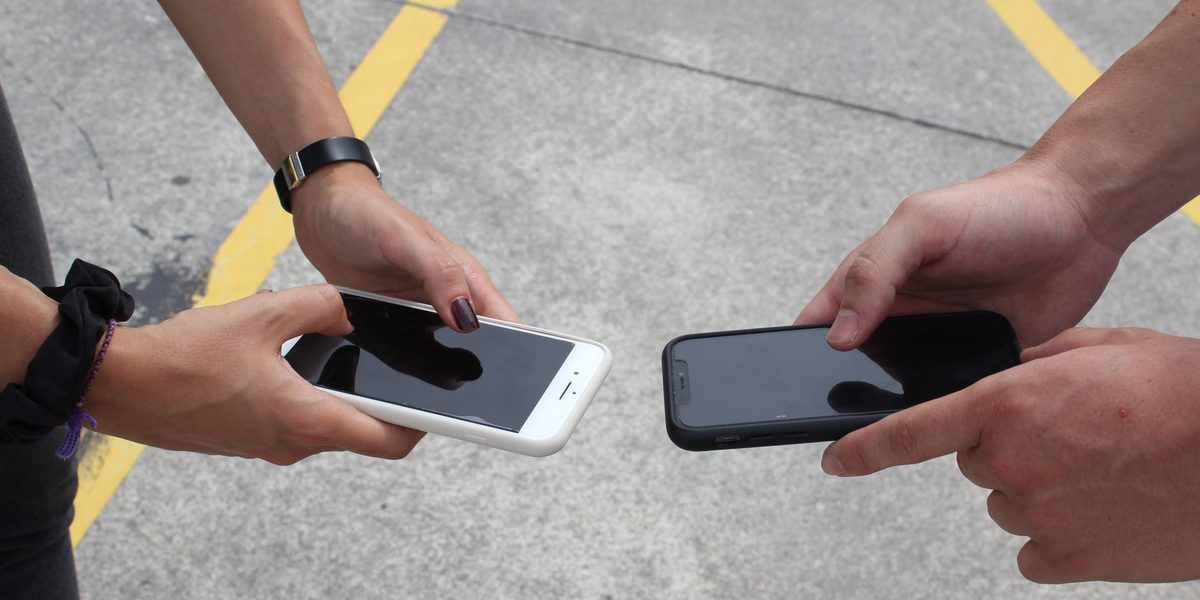
There was a time when upgrading your phone every couple of years was simply rational: each generation brought obvious leaps, and a two-year-old phone felt ancient. That era is over. Modern phones are so capable that the meaningful differences between generations have shrunk to refinements most people cannot feel, while the phones themselves last longer than the industry would prefer you to notice. The result is a genuinely new question: not which phone to buy, but whether to buy one at all. Here is a practical framework for answering it honestly, based on the signals that matter and immune to the ones that are just marketing weather.
The Battery Is Usually the Real Conversation
Most upgrade itch traces back to one component: the battery. Batteries chemically age with every charge cycle, and after a few years the phone that once sailed through a day now begs for a charger by midafternoon. Because the decline is gradual, people experience it as the phone getting worse, when really one replaceable part is getting worse. Before any upgrade decision, check your battery's health in the settings, where most phones report the battery's remaining capacity relative to new.
Here is the honest math the upgrade ads skip: a battery replacement costs a small fraction of a new phone and, for a device that is otherwise fast enough, delivers most of the felt improvement of upgrading. If your complaints are battery-shaped, and the phone otherwise serves, replace the battery and revisit the question in a year or two. If the battery is healthy and the phone still frustrates you, then the case for upgrading is real.
Storage Pressure and the Slowdown Illusion
The second great driver of upgrades is a phone that feels slow, and here it pays to separate causes. A nearly full phone behaves badly: storage-starved devices stutter, apps crash, cameras hesitate, and updates fail. Before concluding the hardware is done, clear meaningful space by offloading photos and videos to a backup service or computer and deleting the apps you have not opened in months. A surprising share of dying phones make full recoveries after this alone, which is why storage cleanup should always be the first experiment and never the afterthought.
Genuine performance aging does exist: demanding new apps and games eventually outpace old processors, and if the phone lags even after a cleanup and a restart, with storage to spare, the silicon may truly be at its limit. But diagnose before you spend. The slowdown that vanishes with housekeeping is not an upgrade signal; it is a maintenance signal.
Software Support: The Deadline That Actually Matters
The one non-negotiable upgrade trigger is the end of security updates. Phone makers support each model with software and security patches for a limited number of years, and once your device falls off that list, every year of continued use adds risk: newly discovered vulnerabilities stay open, banking and payment apps eventually refuse to run, and app compatibility quietly erodes. A phone can be fast, glossy, and beloved and still be past its safe life for anything involving money, email, or personal accounts.
Find out where your model stands in its maker's support window; the information is easy to look up and takes two minutes. If support has ended or ends soon, plan the upgrade regardless of how well the phone runs. Conversely, if years of support remain, that is a strong argument for keeping a phone that otherwise works, and it is worth favoring makers with long support commitments when you do eventually buy.
The Camera Plateau and Other Marketing Weather
Cameras sell upgrades, and phone makers know it, which is why every launch event leads with photography. The quiet truth is that phone cameras crossed the good-enough line for most people some time ago, and year-over-year gains are now refinements at the margins: better zoom, better very-low-light shots, cleverer processing. Real, but visible mostly in side-by-side comparisons rather than in your actual camera roll. Jumping several generations still delivers a noticeable leap; jumping one almost never does.
Apply the same discount to the rest of the launch-event vocabulary. Brighter screens, thinner bezels, and faster charging are pleasant, not transformative. The honest test for any advertised feature is simple: does it solve a frustration you already have? A feature you never missed will not change your life for the fifteen minutes after unboxing that you remember it exists.
The Signs It Is Genuinely Time
Cutting through it all, the legitimate reasons to replace a phone form a short list:
- Security support has ended or ends within months, for a phone you use for anything sensitive.
- Battery health is poor and the phone is old enough that a battery swap would be investing in hardware near its limits anyway.
- Persistent slowness survives cleanup: lag with free storage, fresh restarts, and updated software points at aging silicon.
- Repair costs approach replacement value: a shattered screen plus a tired battery on an aging phone often costs more to fix than the phone is worth.
- A real capability gap: something you actually need, not merely admire, that your phone cannot do.
If none of these apply, the desire to upgrade is aesthetic, and it is worth naming it as such. There is nothing wrong with wanting a new phone; there is something wrong with the industry convincing you that wanting is needing.
The Repair-First Mindset
Between keep and replace sits an underused middle path: fix the phone you have. Batteries, screens, and charging ports, the three most common failures, are all routine repairs, and independent shops and mail-in services handle them for far less than a new device. Repairability has also become a genuine buying criterion: some phones open up gracefully while others fight every screwdriver, and repair-friendliness is worth researching before your next purchase, because it directly extends how long that purchase serves you.
A repaired phone also holds its role as a backup, a kid's first phone, or a dedicated music and navigation device, and phones with working batteries resell or donate far better. The wasteful outcome is not keeping a phone too long; it is discarding a fixable one. A fresh case and screen protector, incidentally, deliver a surprising share of the new-phone feeling for pocket change, and they protect the resale value you will eventually want.
Making the Upgrade Wisely When It Comes
When the time genuinely arrives, a few habits stretch the value of the purchase. Buying one generation behind the newest model captures nearly all the capability at a real discount, and certified refurbished devices from reputable sellers extend that logic further. Prioritize long software support, battery capacity, storage headroom above what you think you need, and repairability over launch-week glamour. Then trade in, sell, or responsibly recycle the outgoing phone rather than retiring it to a drawer, where its trade-in value evaporates and its battery ages toward disposal anyway.
Final Thoughts
The upgrade-or-keep decision has a refreshingly clear answer once the noise is filtered out. Keep the phone if its problems are a tired battery or a full storage bar, because both are cheap to fix. Upgrade when security support ends, when diagnosed slowness survives every remedy, or when repair math stops making sense. Ignore the annual launch spectacle entirely; it is scheduled, and your needs are not. Phones stopped being two-year devices some time ago. Treat yours as the four-to-six-year tool it can be, and every upgrade you do eventually make will feel like a leap instead of a shrug.